

Installation
NQRust-MicroVM is installed via nqr-installer — a guided Rust TUI that provisions everything on your host: KVM access, networking bridge, PostgreSQL, systemd services, and platform configuration.
Choose the method that matches your environment.
System Requirements
| Minimum | Recommended | |
|---|---|---|
| CPU | x86_64 with KVM (Intel VT-x / AMD-V) | — |
| RAM | 4 GB | 8 GB+ |
| Disk | 20 GB free | 50 GB+ |
| OS | Ubuntu 22.04, Debian 11 | Ubuntu 24.04 LTS |
Verify KVM support before installing:
  egrep -c '(vmx|svm)' /proc/cpuinfo   # must be > 0
lsmod | grep kvm                      # must show kvm module
Online Installation
For hosts with internet access. The script downloads the latest nqr-installer binary from GitHub Releases and launches the TUI.
curl -fsSL https://github.com/NexusQuantum/NQRust-MicroVM/releases/latest/download/install.sh | sudo bash
The installer opens a guided TUI that walks you through each step:
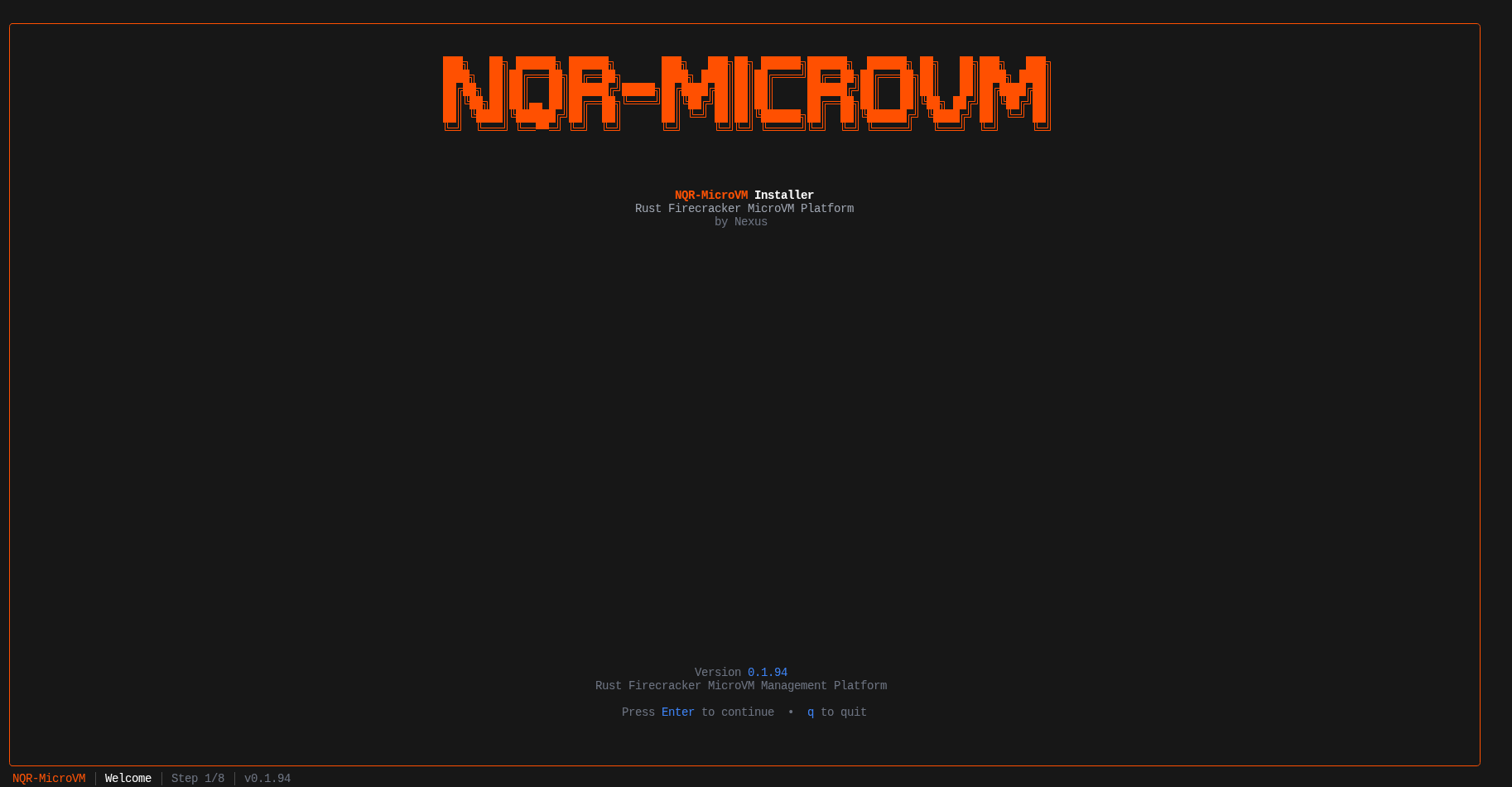
Step 1 — Choose installation mode
Select the components to install. For a single-host setup choose Production (Manager + Agent + UI).
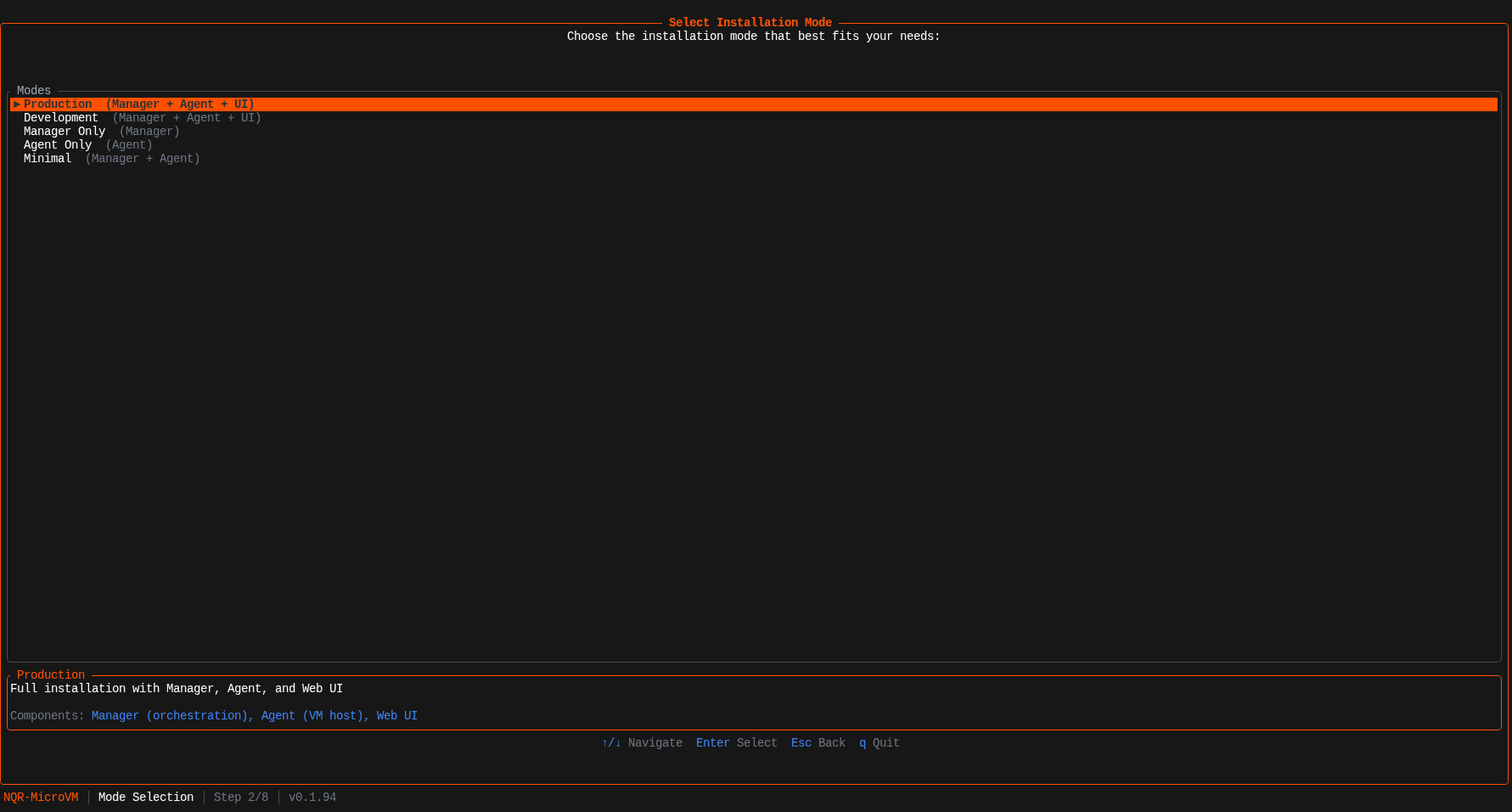
| Mode | Components | Use case |
|---|---|---|
| Production | Manager + Agent + UI | Single host, all-in-one |
| Development | Manager + Agent + UI | Build from source |
| Manager Only | Manager | Control plane node |
| Agent Only | Agent | Worker node |
| Minimal | Manager + Agent | No web UI |
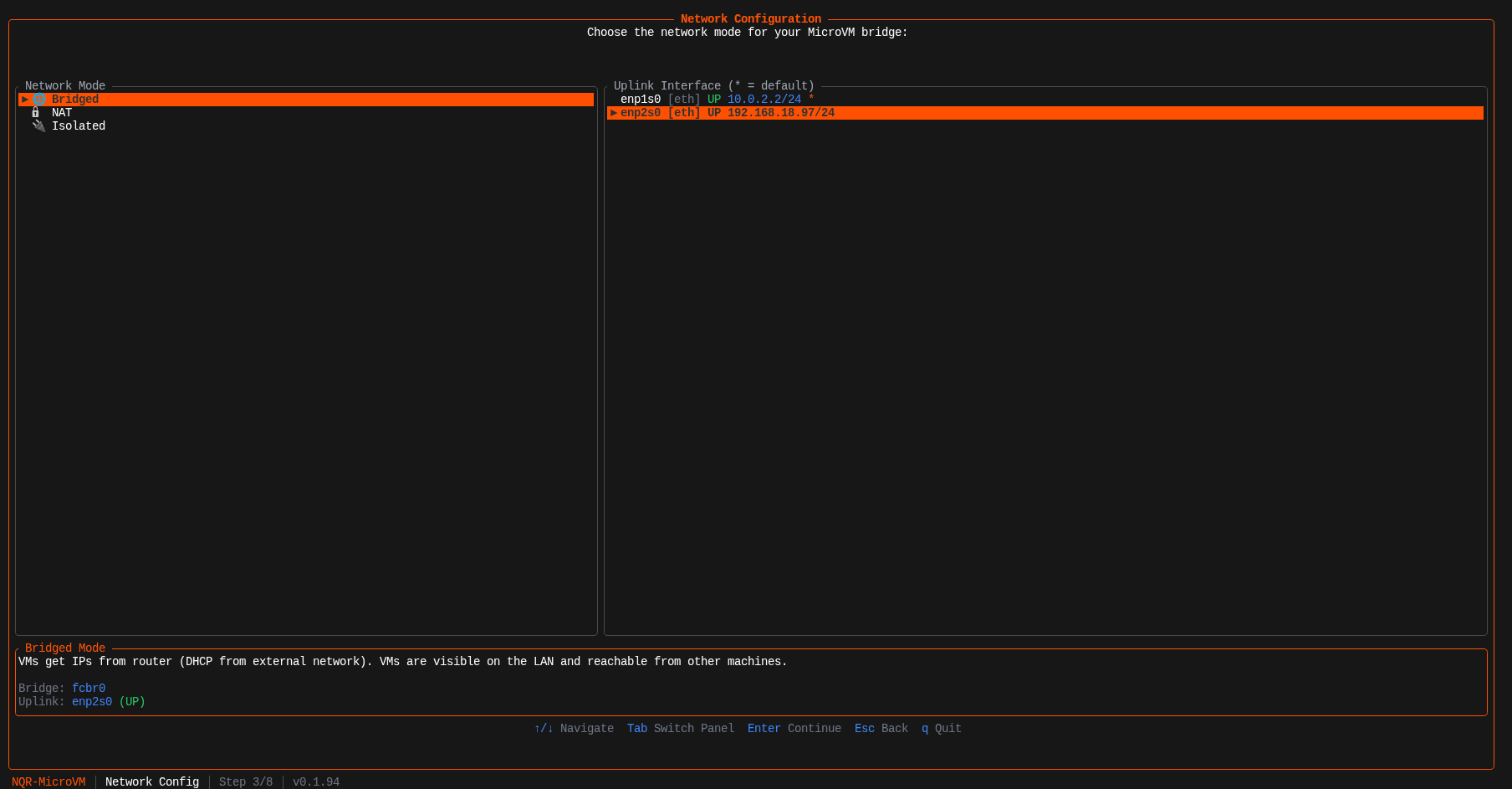
Step 2 — Network configuration
Choose the bridge mode and uplink interface for VM networking.
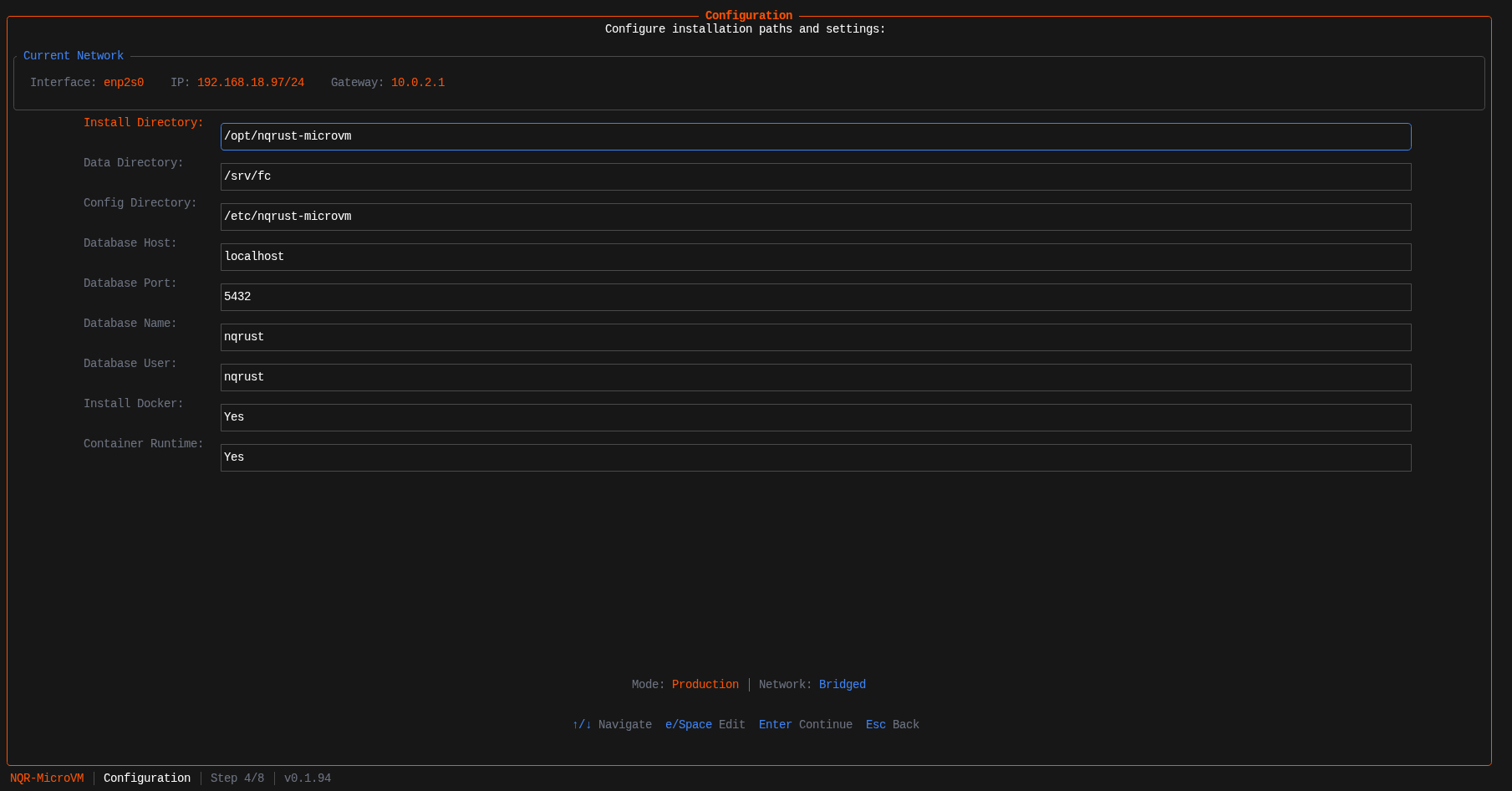
Step 3 — Configuration
Review and adjust install paths and database settings. Defaults work for most deployments.
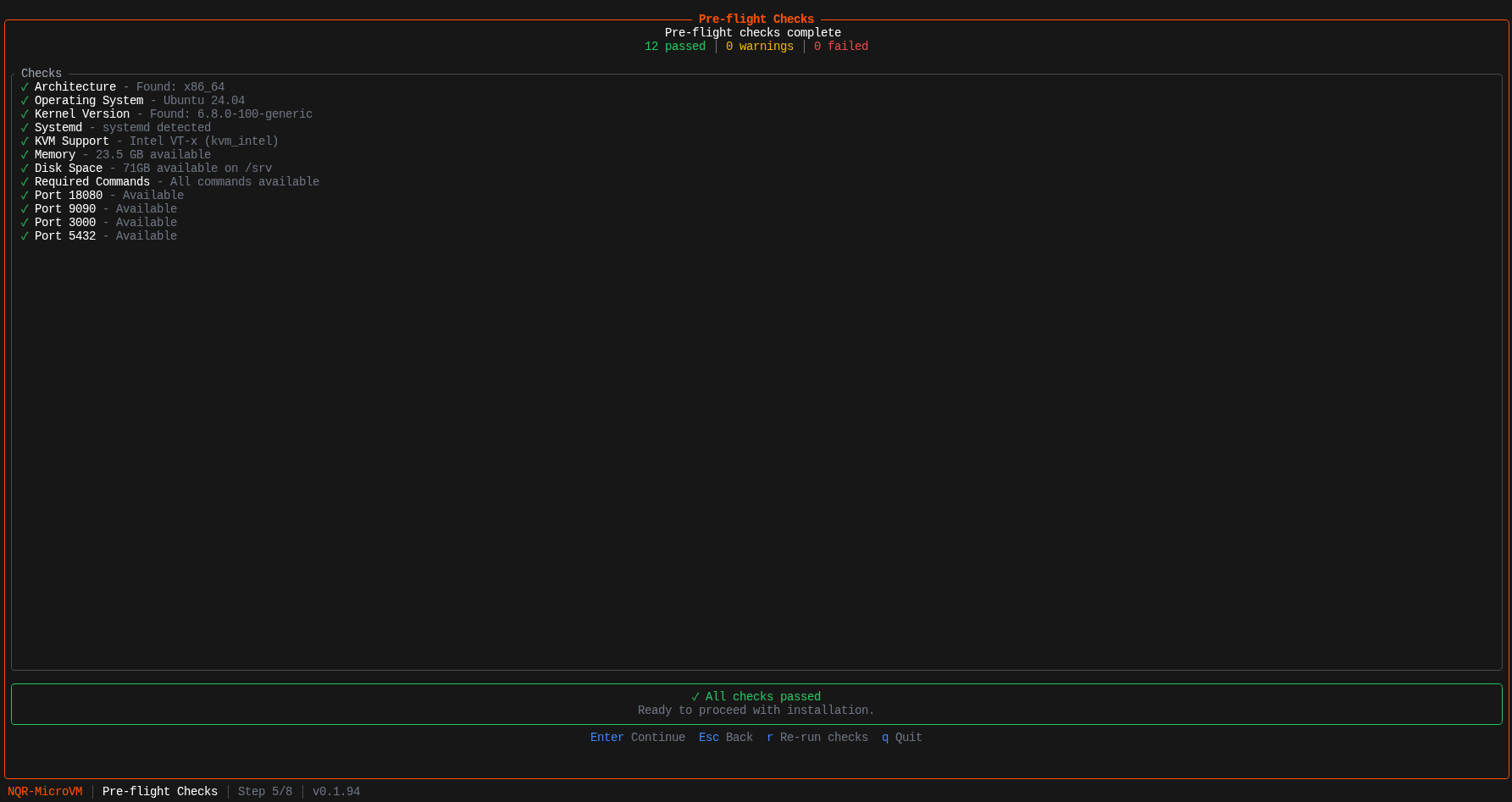
Step 4 — Pre-flight checks
The installer validates your system before touching anything. All checks must pass to continue.
Step 5 — Installation
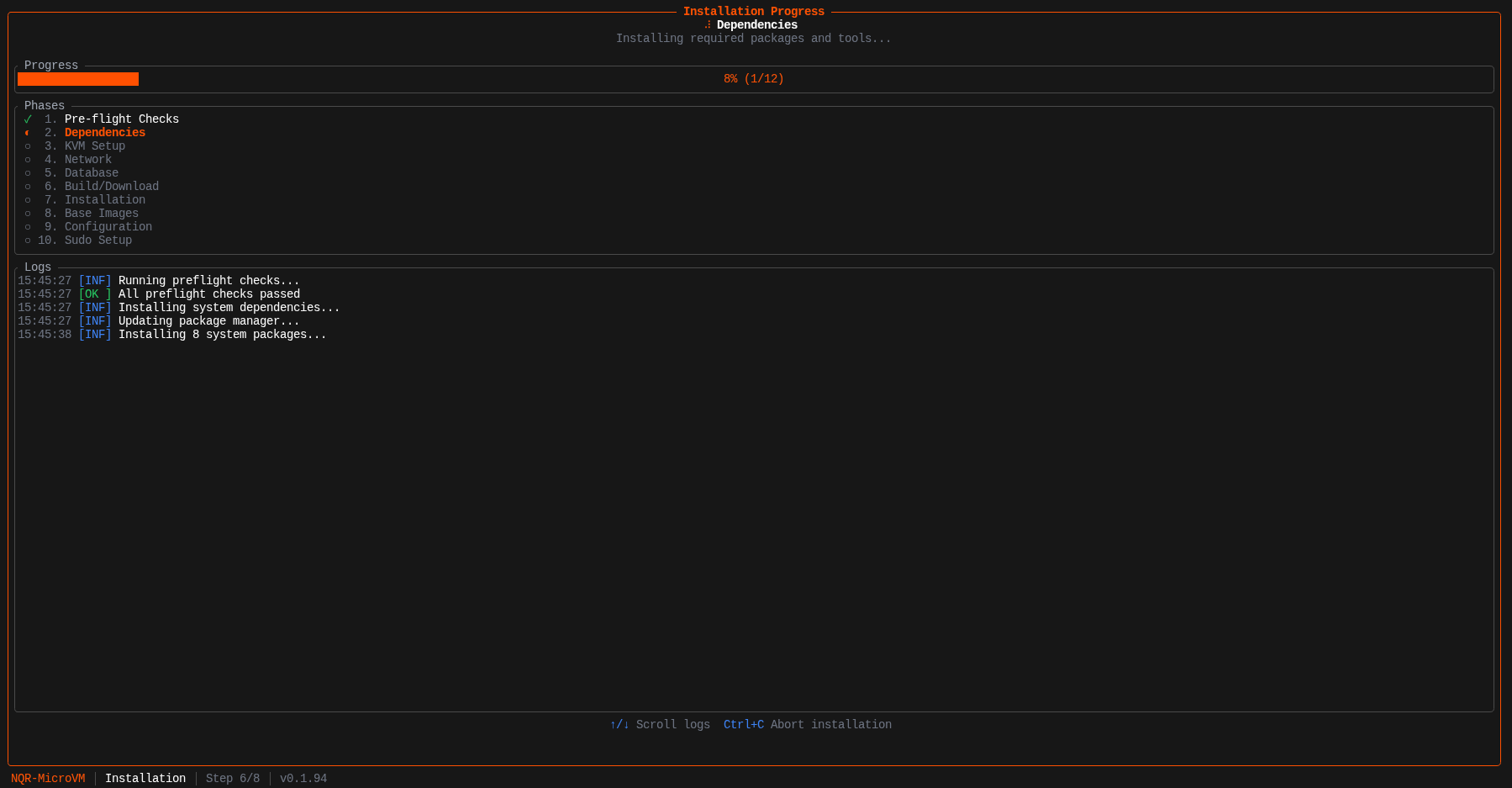
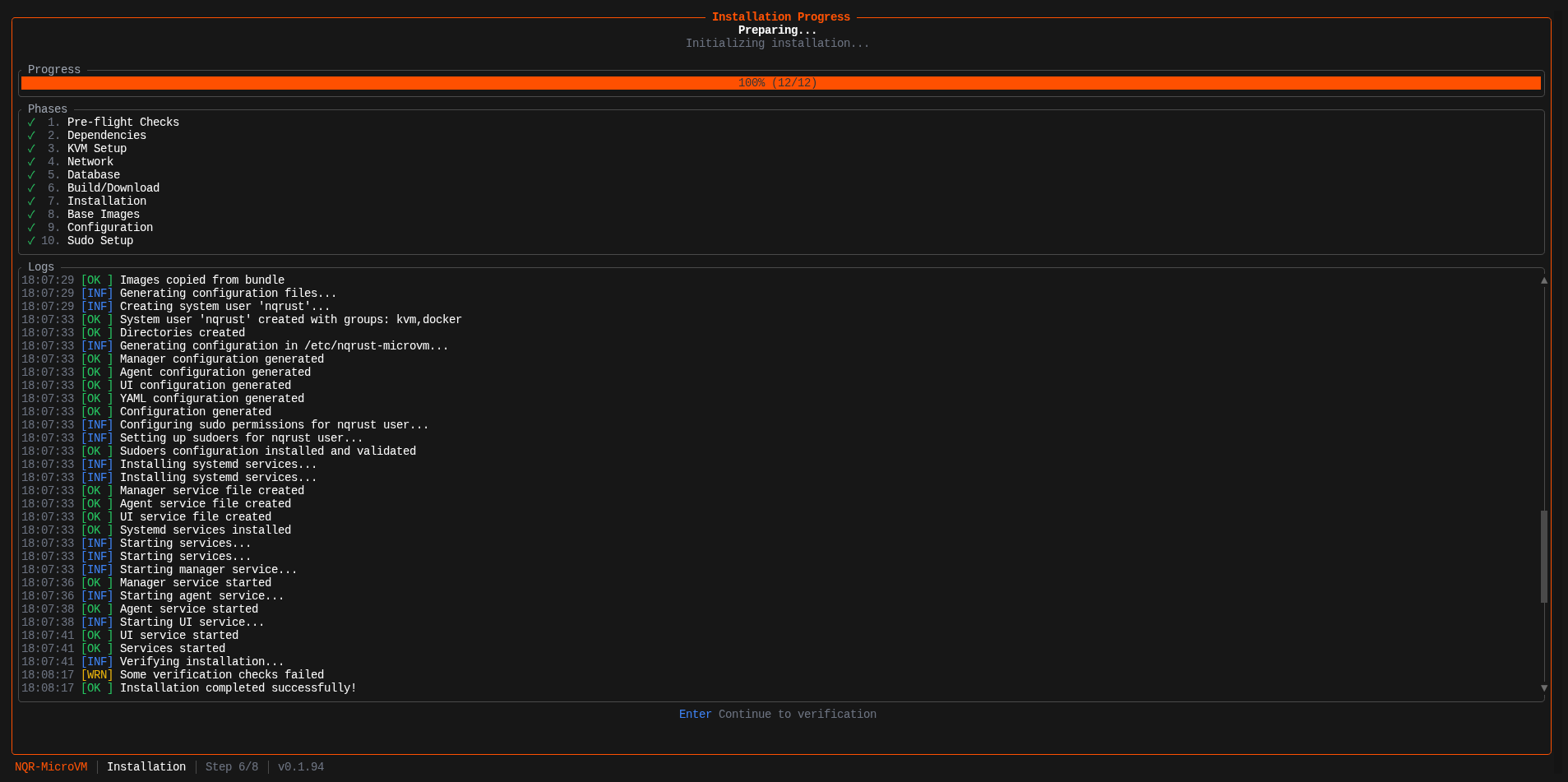
The installer provisions each component in sequence and streams live logs.
Step 6 — Verification
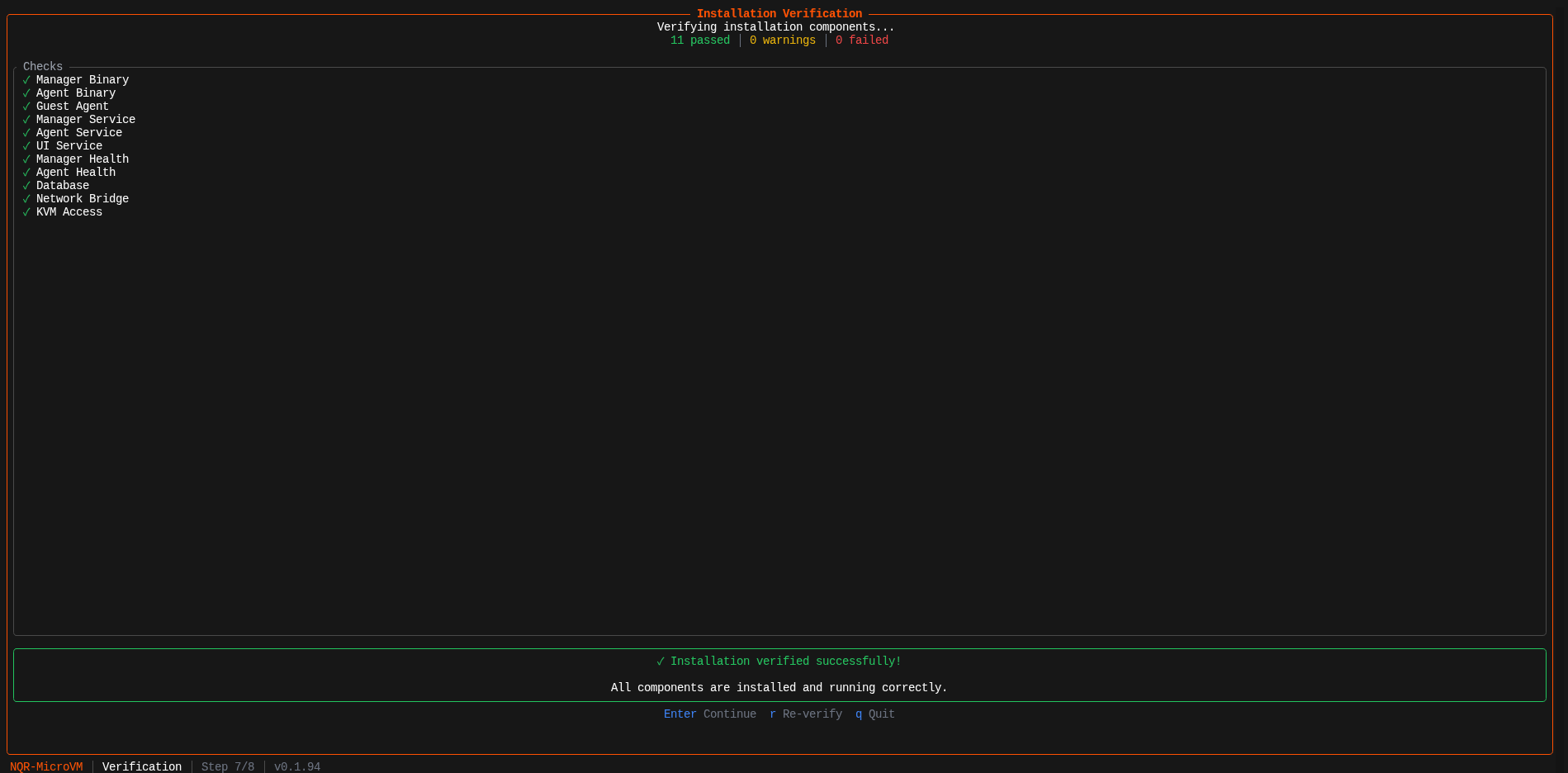
The installer verifies every component is healthy before finishing.
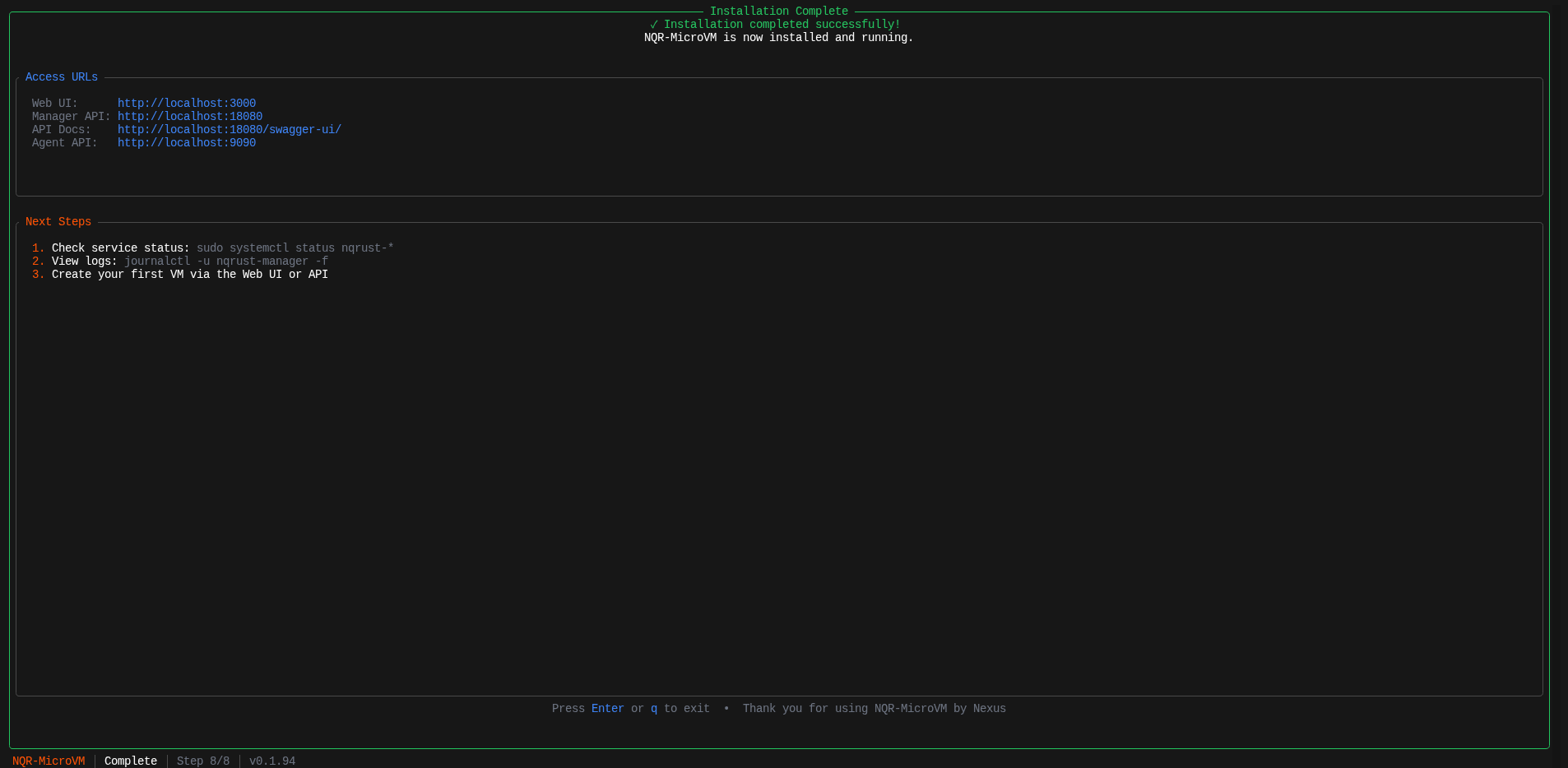
Step 7 — Complete
Installation is done. The installer shows your access URLs and exits.
Airgapped Installation
For hosts without internet access. Download the installer binary on a connected machine and transfer it to your target host.
Step 1 — Download on a connected machine:
  curl -fsSL -o nqr-installer \
  https://github.com/NexusQuantum/NQRust-MicroVM/releases/latest/download/nqr-installer-x86_64-linux-musl

chmod +x nqr-installer
Step 2 — Transfer to the target host:
scp nqr-installer user@target-host:/tmp/nqr-installer
Step 3 — Run on the target host:
sudo /tmp/nqr-installer install
The installer operates fully offline — no downloads occur during the installation itself.
Installation Modes
When prompted, the installer asks which components to deploy:
| Mode | Use Case |
|---|---|
| All-in-one | Single host running manager, agent, and UI (default) |
| Manager only | Control plane node in a multi-host setup |
| Agent only | Worker node that joins an existing manager |
For multi-host deployments, run the installer with Manager only on the control plane first, then Agent only on each worker pointing to the manager’s address.
What Gets Installed
After a successful run:
| Path | Contents |
|---|---|
/opt/nqrust-microvm/bin/ | manager, agent, guest-agent binaries |
/opt/nqrust-microvm/ui/ | Next.js frontend static build |
/etc/nqrust-microvm/ | manager.env, agent.env, ui.env config files |
/srv/fc/vms/ | VM runtime storage |
/srv/images/ | Image registry storage |
/var/log/nqrust-microvm/ | Service logs |
Services are managed by systemd:
  systemctl status nqrust-manager
systemctl status nqrust-agent
After Installation
Once the installer finishes, open the web UI in your browser. The installer shows your exact URLs on the completion screen:
| Service | Default URL |
|---|---|
| Web UI | http://<host>:3000 |
| Manager API | http://<host>:18080 |
| API Docs | http://<host>:18080/swagger-ui/ |
| Agent API | http://<host>:9090 |
Default credentials on first login:
- Username:
root - Password:
root
Change the password immediately after first login via Settings → Account.
Proceed to the Quick Start to create your first VM.
Troubleshooting
KVM not accessible
  ls -l /dev/kvm
# Should show: crw-rw---- 1 root kvm ...

# If your user is not in the kvm group:
sudo usermod -a -G kvm $USER
newgrp kvm
Service not starting
  journalctl -u nqrust-manager -n 50
journalctl -u nqrust-agent -n 50
Database connection failed
  # Check PostgreSQL is running
sudo systemctl status postgresql

# Test connection
psql -h localhost -U nexus -d nexus
Reinstalling
To remove a previous installation before re-running:
sudo /opt/nqrust-microvm/scripts/uninstall.sh