

Manage Hosts
Hosts
A Host is a physical or virtual machine running the NQRust-MicroVM agent, which enables the Manager to create and control Firecracker microVMs on that machine.
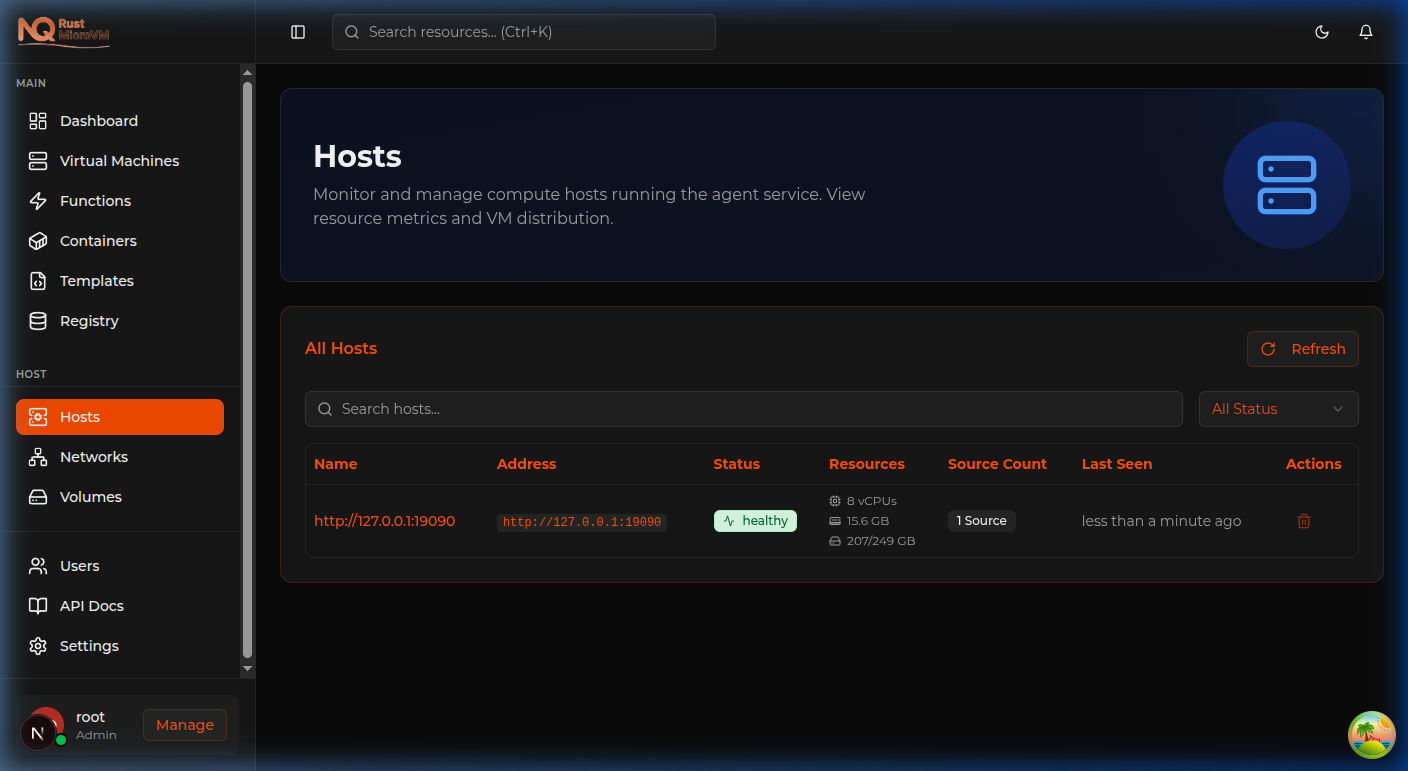
What is a Host?
Hosts are the compute nodes that power your microVM platform. Each host:
- Runs the nexus-agent service
- Must have KVM support enabled (
/dev/kvm) - Registers automatically with the Manager on startup
- Reports health via periodic heartbeats
- Provides capacity for running VMs
Host Requirements
| Requirement | Details |
|---|---|
| OS | Linux (Ubuntu 22.04+ recommended) |
| KVM | Hardware virtualisation enabled |
| Network | Reachable by Manager (default port 9090) |
| Agent | nexus-agent service installed and running |
Hosts Page
Navigate to Hosts in the left sidebar.
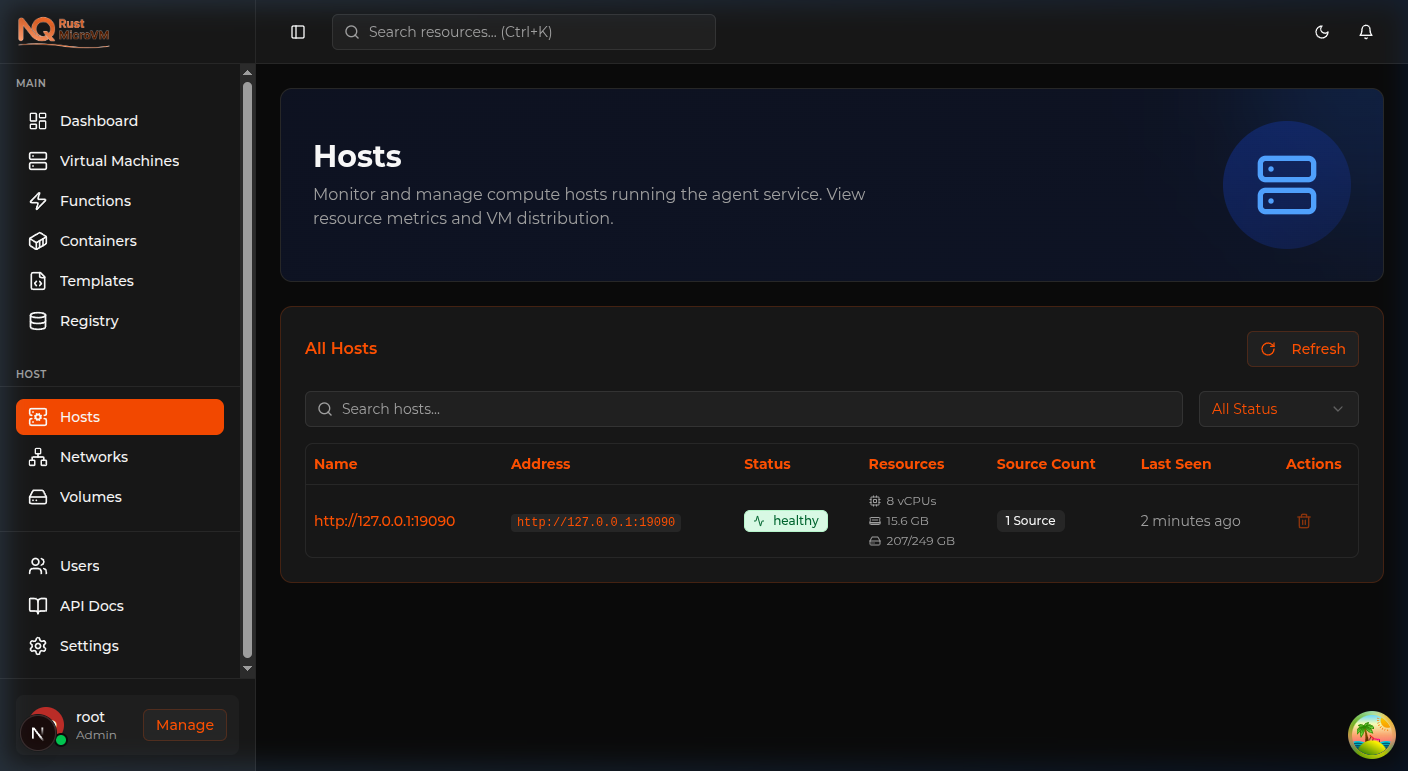
The Hosts page shows:
- Name / Address — The agent’s URL (e.g.
http://127.0.0.1:19090) - Status —
healthy,unreachable, ordegraded - Resources — vCPUs, RAM, and total/used disk
- Source Count — Number of VMs or containers running on this host
- Last Seen — When the agent last sent a heartbeat
- Actions — Delete a deregistered host
Status Badges
| Status | Meaning |
|---|---|
| 🟢 healthy | Agent is reachable and responding normally |
| 🟡 degraded | Agent is responding but reporting resource pressure |
| 🔴 unreachable | No heartbeat received within the expected window |
Refreshing Host Status
Click the Refresh button in the top-right of the hosts table to immediately re-check heartbeat status for all registered hosts.
Registering a New Host
Hosts register automatically when the nexus-agent starts on a machine. To add a new host:
- Install the nexus-agent on the target machine (see Installation Guide)
- Configure the agent with the Manager’s address:
MANAGER_BASE=http://<manager-ip>:18080 nexus-agent - The agent will appear in the Hosts table within seconds
Removing a Host
To remove a deregistered or decommissioned host:
- Ensure no VMs are running on that host
- Click the trash icon in the Actions column
- Confirm the removal
Warning: Removing a host does not stop the agent service on the machine. Stop the
nexus-agentservice separately.
Multi-Host Setup
NQRust-MicroVM supports multiple hosts simultaneously. The Manager distributes workloads across available healthy hosts.
Example setup:
  Manager (host-1)  ←→  Agent (host-1)  [local]
                  ←→  Agent (host-2)  [remote via network]
                  ←→  Agent (host-3)  [remote via network]
Each host is independently managed, with VMs pinned to the host they were created on.
Troubleshooting
Host shows “unreachable”
- Check the agent service is running on the host:
sudo systemctl status nexus-agent - Verify network connectivity from Manager to agent port 9090
- Check for firewall rules blocking the port
- View agent logs:
sudo journalctl -u nexus-agent -f
Host not appearing after agent start
- Verify
MANAGER_BASEis set correctly in the agent config - Check the Manager logs for registration errors
- Ensure the agent has KVM access (
ls -la /dev/kvm)