

Manage storage backends
The Storage page (sidebar → HOST → Storage) lists every backend the manager knows about. You can add, edit, set the default, and remove backends without restarting the manager — the in-memory registry is updated live.
Backend table
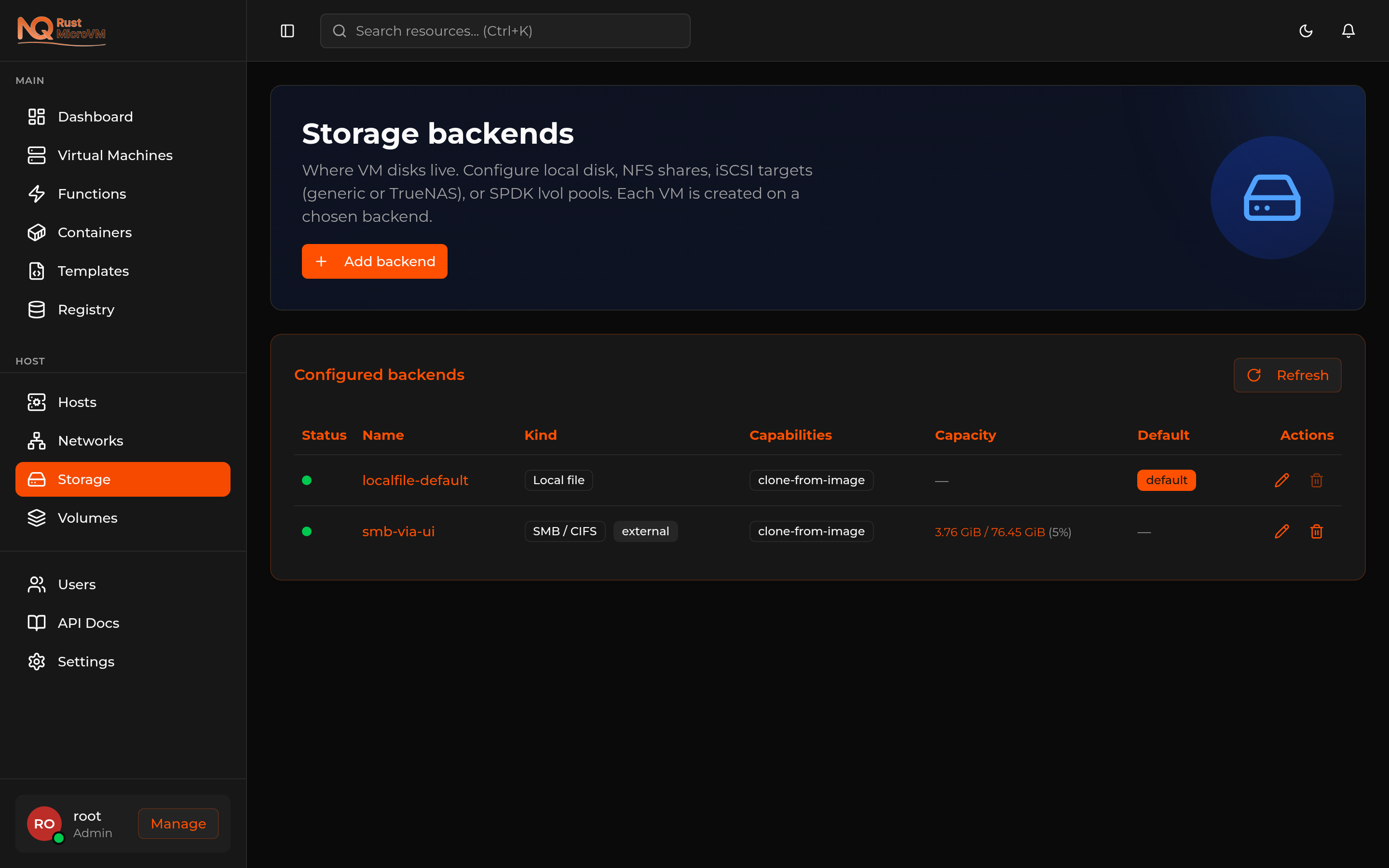
Each row shows:
| Column | What it means |
|---|---|
| Status | Green = the backend probed successfully; amber/red = unreachable or misconfigured |
| Name | Operator-chosen identifier (must be unique) |
| Kind | Local file (default) or one of the external kinds: NFS, SMB / CIFS, iSCSI + LVM |
| Capabilities | What this backend supports — clone-from-image, snapshot, external |
| Capacity | Live used / total from df (file-based) or vgs (LVM) |
| Default | The backend new VMs use when none is explicitly selected |
| Actions | Edit, Remove |
Click Refresh to re-run the health probe and capacity check.
Adding a backend
Click Add backend in the top right of the Storage page. The dialog adapts its fields to the selected kind.
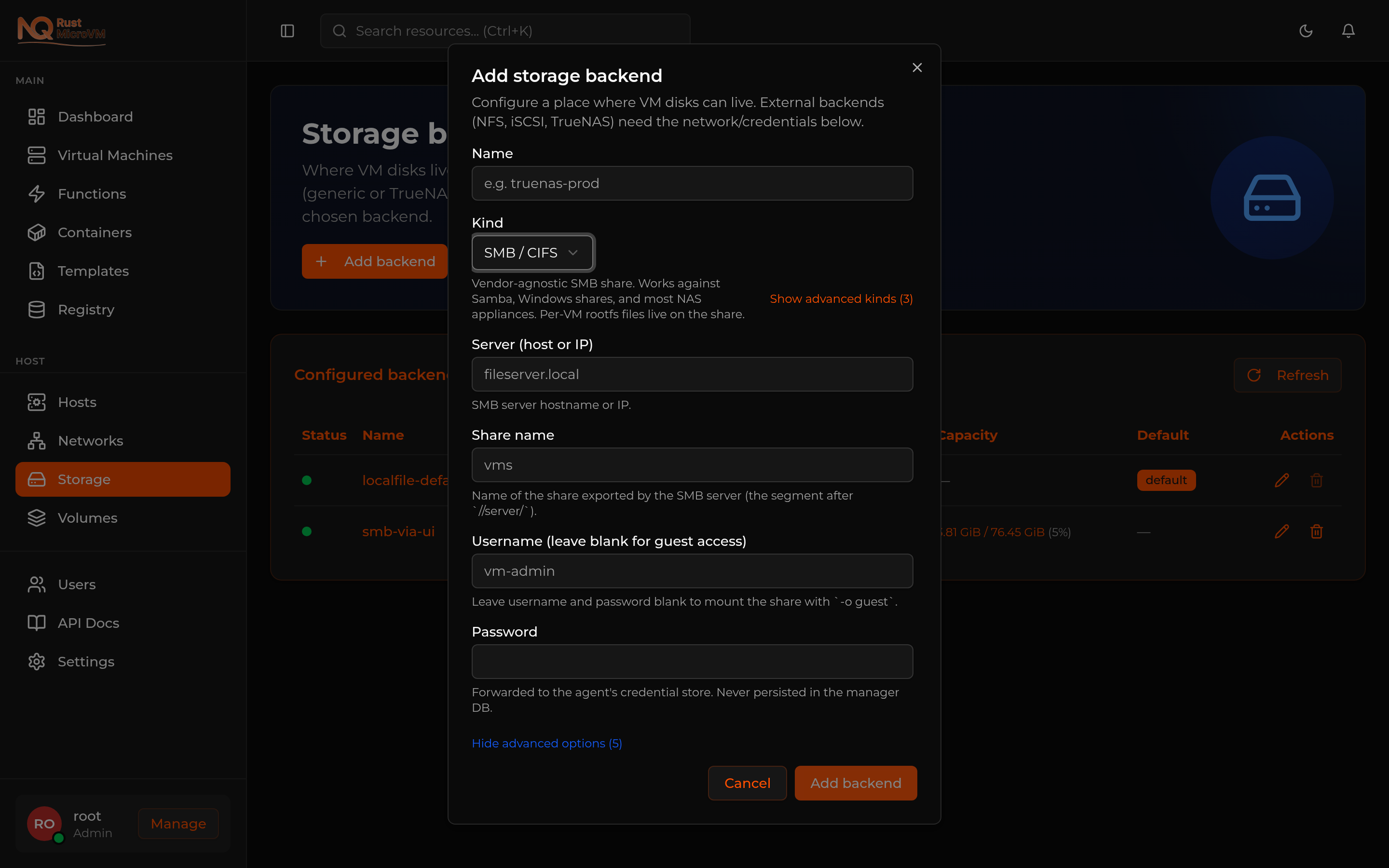
Kind dropdown — pick from the four supported kinds:
- Local file (default, zero setup)
- NFS — external Linux/Unix NFS export → guide
- SMB / CIFS — external Samba / Windows share / NAS appliance → guide (new in v0.4.0)
- iSCSI + LVM — external vendor-agnostic iSCSI with auto-provisioned LVs → guide
Common fields (all kinds):
- Name — Used in audit logs, VM-create dropdowns, and the URL
/v1/storage_backends/<id>. Pick something distinct. - Set as default — New VMs without an explicit
backend_idwill land on the default backend.
Per-kind fields appear inline as you change the Kind dropdown — see the dedicated guide for each backend kind for the meaning of each field.
When you click Add backend:
- The manager validates the config (required fields, enum constraints).
- For backends that need them (SMB with username/password, iSCSI with CHAP), credentials are forwarded to the agent’s credential store immediately — they are never persisted in the manager database.
- The manager probes the backend to confirm reachability.
- The new backend is inserted into the live registry — VM-create can target it on the next API call.
- A toast confirms
Storage backend added.
If validation fails the dialog stays open and shows the server’s error message. If the probe fails (e.g. SMB credentials wrong, NFS export not exported to your host) the manager rolls back the create, clears any credentials it had pushed, and surfaces the error — no half-created backend is left behind.
Editing a backend
Click the Edit button on a backend row. Most fields are mutable — the kind itself is not. For authenticated external backends (SMB with credentials, iSCSI with CHAP) the dialog has a separate Rotate password section: leave it blank to keep the current password, fill it to push a new one to the agent’s credential store.
After save, the manager re-probes the backend and updates the live registry. Existing VMs already running against the backend are unaffected — only the next mount or operation picks up the new config.
Setting the default
Open Edit on the backend you want as default, toggle Set as default, save. Only one backend can be default at a time — the previous default is cleared automatically.
The default backend is the one that gets used when VM-create doesn’t specify a backend_id. In the UI’s Create VM wizard, Boot Source step, the Storage backend dropdown defaults to whichever backend has the default flag.
Removing a backend
Click Remove on a non-default backend row. A confirmation dialog appears.
Protected deletes: if the backend has any live volumes (volume rows in the database with backend_id = <this>), the manager refuses with HTTP 409 and a message like backend has N live volume(s); delete or migrate them before removing the backend. This protects you from orphaning data that VMs still reference.
To resolve: stop and delete any VMs whose rootfs lives on this backend, then either delete the leftover orphan volume rows from the database (advanced), or migrate those volumes to another backend (planned for a future release).
When the delete succeeds, the manager:
- Removes the row from the database.
- Notifies the agent to drop the on-disk credential file (SMB, TrueNAS).
- Best-effort unmounts the backend if it was mounted (NFS, SMB).
- Removes the entry from the live registry.
The default backend cannot be deleted — make a different backend default first.